Home A/C Repairs
The outdoor compressor/heat exchanger unit that cooled our upstairs zone was making crazy "washing machine about to explode" noises. With a hot summer on the way, it needed some quick attention. Luckily the fix was not too bad.
The outdoor units have a big heat exchanger aka condenser (like a car's radiator) that gets rid of the heat that the system picked up on its trip inside. There is also a compressor to compress the refrigerant before it goes back into the house, and a fan to suck air though the heat exchanger. The fan and its motor are the exposed moving parts, they are out in the sun, rain, wind and snow and it can take a toll. If the fan becomes out of balance or the motor's bearings go bad, the assembly will wobble & vibrate and in extreme cases damage itself. Ours was going so crazy it pulled out its own wiring and put stress cracks in the lid.
I shut off power at the main fuse panel and then removed the power interlock at the unit. These are the boxes mounted on the outside of the house usally. Just pull the plug out.

The basic operation is not that complex. A 24V signal comes from the thermostat and energizes a relay. The HVAC lexicon calls it an “contactor". Whatever you call it, the 24V signal closes contacts to connect the 208/240VAC* to the fan motor and the compressor so they can do their stuff. They are pretty standard parts, and run less than $15 online if you want to keep a spare. (will explain the 2 possible voltages below)
The motor wiring has a few details that are important.
There is a pair of coils inside the motor that you can wire up 2 different ways which control which direction the motor spins in. What matters at the end of the day is that cool fresh air gets sucked in through the sides of the unit and blown out the top. If that isn't happening when you're done, make ithe fan spin the other way by flipping the wires around.
Single phase (what your AC service is) AC motors need a capacitor to work efficiently, usually called a "run cap". The cap in this unit looks like it's 1,000 years old & old all of the markings are gone. Luckily the replacement motor specified which value of capacitor it requires, and my local hardware store had one on the shelf. Winning!
If you need to replace the motor, it is important to use a motor that has similar specifications. The replacement should obviously mount the same way, it should spin at the same speed (RPM) and it should draw the same amount of current, or as close as possible. The motors will be rated in fractional horsepower but also have an amperage rating (Watts and horsepower are both units of work and can be converted back and forth). Not enough current and it may not be able to operate the fan properly, and too much current may trip the breaker or possibly damage other components.
So, step by step it was something like this for me:
Kill the power at the panel
Pull the power interlock out - just to be double sure.
Grab a set of nut drivers to take the cover off of the unit. An 11/32" and a 5/16" will probably cover the sheet metal screws you will run into.
Be careful because the motor is attached to the cover and will be heavy. The fan is attached the motor and you don't want to bend it - at all. Then there is the wiring, which you do not want to tug on. Next there's the heat exchanger which is made of very thin aluminum and is probably easy to puncture. (I did not test this). If you make it leak, you will need to a pro most likely to get things working again.
Determine the source of the vibrations. In my case, the motor shaft moved up and down and side to side - both are signs of bad bearings. I could also hear it make bad noises when it spun. Good bearings are pretty quiet, and are tight and smooth.
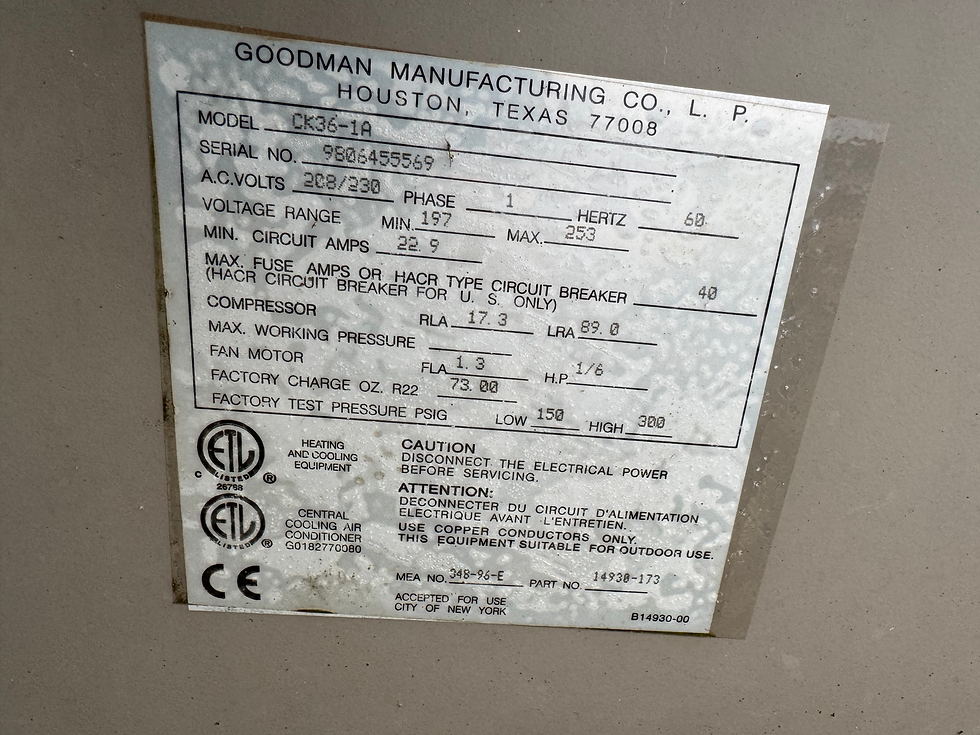
Figure out your wiring 'as is' and then assess if it is correct before just accepting it. Mine was incorrect and may have led to higher utility costs or even the early failure of the unit (from running too hot). The factory wiring diagram was under the access panel that comes off to reveal the wiring. There is also a sticker inside with the manufacturer and model number of the unit. A prior repair & motor replacement likely led to this condition.
I ordered a new motor. I also wound up needing a new fan blade and a new cover.


In the diagram above, the motor only shows 3 connections in the larger diagram at left. They are hot, neutral & ground and you can see them running to the Contactor. In the diagram in the upper RH corner they show the capacitor connection for the motor. The capacitor is non-polar so it doesn't matter which way it connects. It's just causing a phase shift in a secondary winding which makes the motor run more efficiently. The hot & neutral 240V leads are shown running to T1 & T2 which are connected to L1 & L2 by the Contactor. L2 is the hot, L1 is the neutral. The unmarked terminals are where the thermostat leads connect. These carry the 24VDC that operate the Contactor to call for cool.


I corrected the wiring to match what the unit's schematic called for and what the motor's own diagram spelled out. I got the direction of rotation backwards at first, but just flipped the yellow & purple leads. (see diagram on the motor, above)


Comments